


New games


















PolyTrack






About PolyTrack
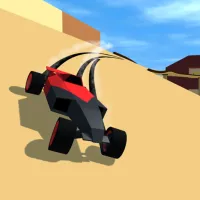
PolyTrack is a fast-paced racing game that combines high-speed driving with creative track building. In this unique racing experience, you not only compete against the clock but also design your own race tracks using powerful in-game tools. With its minimalist low-poly style and physics-based gameplay, every race becomes a test of both driving skill and creative design. Inspired by classic time-trial racing games, PolyTrack challenges players to achieve the fastest lap times on a variety of tracks filled with loops, ramps, sharp turns, and daring jumps. Precision driving and perfect control are essential because even the smallest mistake can cost valuable milliseconds. The game features both official tracks and community-created courses, providing endless variety. Players can also customize their vehicles with different colors and styles before hitting the track. Whether you are racing on your own creation or testing your skills on community tracks, PolyTrack offers a dynamic and competitive racing experience.
How to Play PolyTrack
Race Against the Clock
Your main objective in PolyTrack is to complete the track as quickly as possible. Each race is a time trial where precision, speed, and control determine your final score. Improve your lap times and challenge yourself to beat your previous records.
Drive With Precision
Tracks are filled with obstacles such as ramps, loops, jumps, and tight corners. Mastering vehicle control is essential to maintain speed while navigating these challenging sections.
Create Your Own Tracks
One of the most exciting features of PolyTrack is its built-in level editor. Players can design custom tracks using various building tools. Add ramps, curves, platforms, and obstacles to create unique racing experiences.
Explore Community Tracks
In addition to official tracks, the community constantly creates and shares new designs. You can play tracks created by other players or share your own creations for others to enjoy.
Compete With Ghost Racers
PolyTrack allows you to race against ghost versions of other players from the leaderboard. This feature helps you study faster racing lines and improve your performance by competing against top lap times.
Customize Your Car
Before starting a race, you can personalize your vehicle by choosing different colors for the body, frame, and wheels. Customizing your car adds a personal touch to your racing experience.
Controls
Driving Controls
- W / A / S / D or Arrow Keys = drive the car
- Enter or R = restart race
Editor Controls
- Left-click = place or build objects
- Right-click + move mouse = move camera view
- Middle mouse button + move = rotate camera
- Mouse scroll = zoom in / zoom out
- R or Space = rotate object
- X = delete object
- T = test drive track
Use the track editor to design your own racing courses and test them instantly with the test drive feature.
Master the controls to build creative tracks and achieve the fastest lap times in PolyTrack.
Discuss PolyTrack